
Dynamic DNS for Plesk
Your own dynamic DNS, on your own domains, run by the Plesk server you already have. Your router, NAS or script keeps a name like home.example.com pointing at your connection, even when your ISP changes the IP address.
Free for up to 3 hosts, with no licence and no account.
What it does
Plesk already runs the DNS for your domains, but it has never had a way for a device with a changing IP address to update its own record. People have been asking for it for years, and the usual workarounds are a third-party DDNS service with somebody else's domain, or a script that writes straight into the Plesk database.
This extension adds it properly:
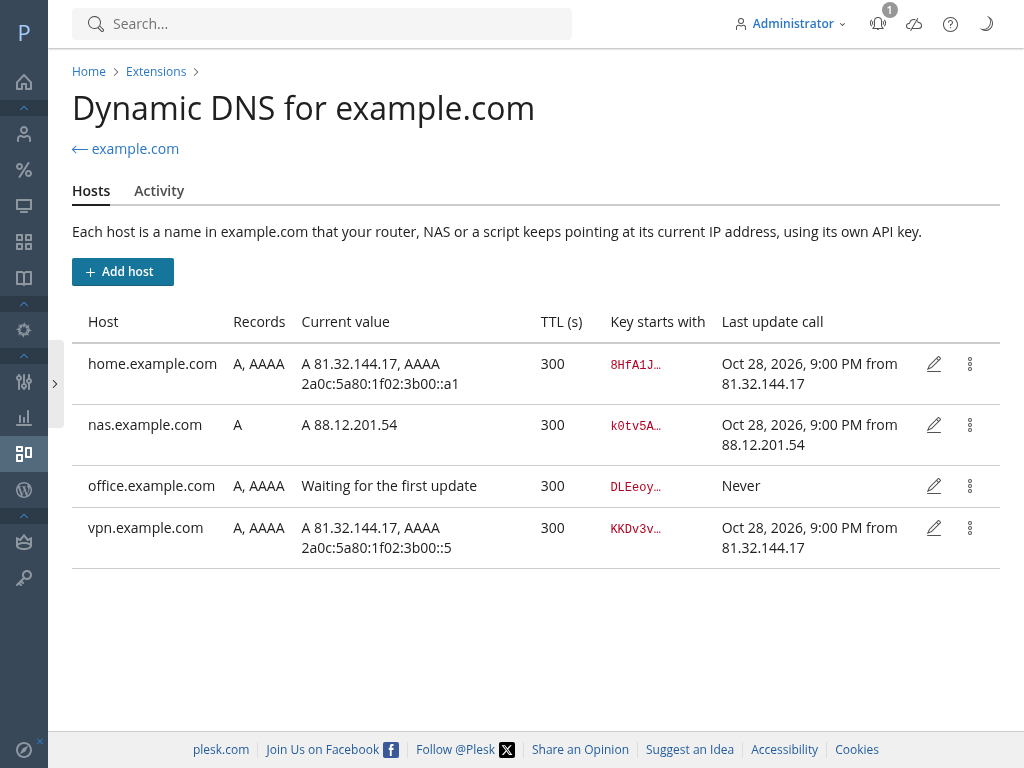
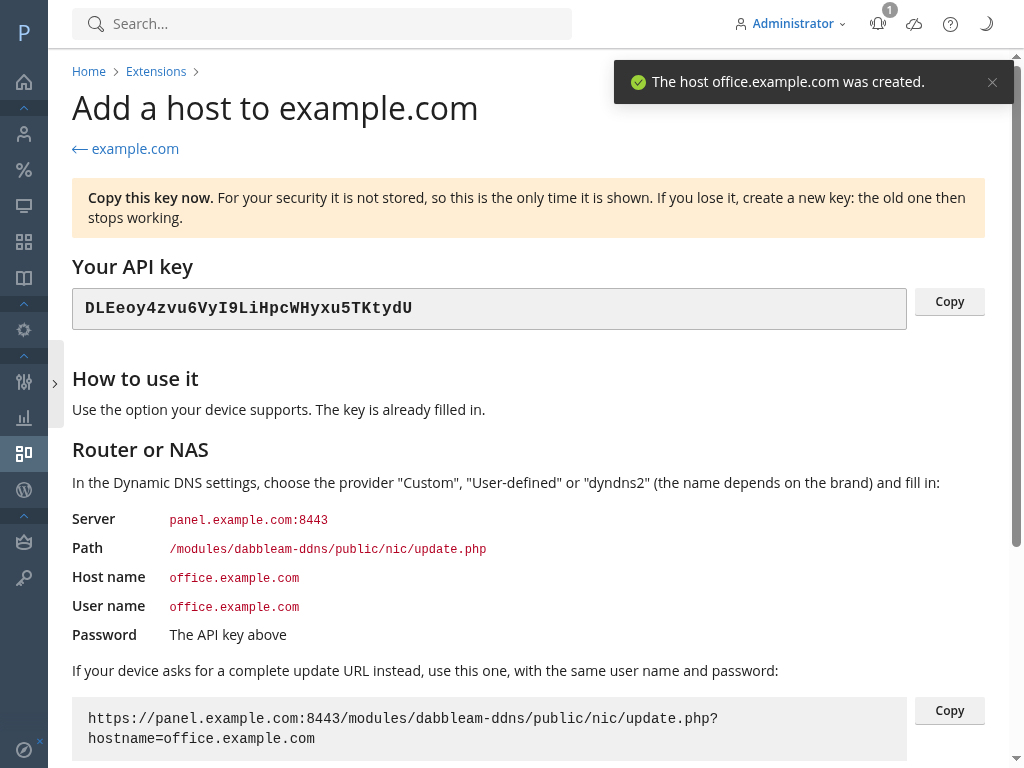
- Create a host from the Dynamic DNS button in the domain's Hosting & DNS tab, for example home.example.com. You get a key for it, shown once.
- Your router, NAS or script calls your own server with that key whenever its address changes. The extension updates the A and AAAA records in the Plesk zone, as normal records.
- IPv4 and IPv6, together or separately.
- TXT hosts for ACME DNS-01: get a Let's Encrypt certificate, wildcard included, for a machine at home or in the office that has no open ports.
- Two ways to call it: the classic dyndns2 protocol, which almost every router speaks, and a simple JSON API for scripts.
- A log of every change and every failed call, kept for as long as you choose.
- Your customers can use it too: resellers and customers manage the hosts of their own domains, if you give them the permission. You decide who sees it.
Nothing leaves your server: the hosts, the keys (stored only as a hash) and the log stay in your Plesk. The extension sends no telemetry. It only contacts dabbleam.com to check for updates and, with a paid licence, to check the list of revoked licences and renew it. The details are in the privacy policy.
Works with your router, NAS or script
Anything that can use a custom dyndns2 server works. The documentation has step-by-step setups for:
- Routers and firewalls: FRITZ!Box, UniFi, pfSense, OPNsense and MikroTik RouterOS
- NAS: Synology DSM
- Linux and scripts: ddclient, inadyn and curl
Requirements: Plesk Obsidian 18.0.53 or later on Linux, with the domain's DNS zone managed by Plesk.
Editions
One licence per Plesk server, paid monthly or yearly. Every edition, the free one included, has the full core: IPv4 and IPv6, dyndns2 and the JSON API, TXT hosts, the log and the roles for resellers and customers.
-
Free
€0 with no licence
- Hosts per server
- Up to 3
- Allowed networks
- No
- Alerts
- No
For trying it out, or for a home server with a couple of names to keep up to date.
Download -
Normal
€2.50 a month or €25 a year
- Hosts per server
- Up to 25
- Allowed networks
- No
- Alerts
- No
For your router, your NAS and the machines at home or in the office.
Buy Normal -
Pro
€3.75 a month or €37.50 a year
- Hosts per server
- Up to 100
- Allowed networks
- Yes
- Alerts
- Yes
For offices and small businesses with several sites, where you want to know the moment a connection changes and lock each key to your own networks.
Buy Pro -
Hosting
€9.90 a month or €99 a year
- Hosts per server
- Unlimited
- Allowed networks
- Yes
- Alerts
- Yes
For hosting companies that offer dynamic DNS to their customers.
Buy Hosting
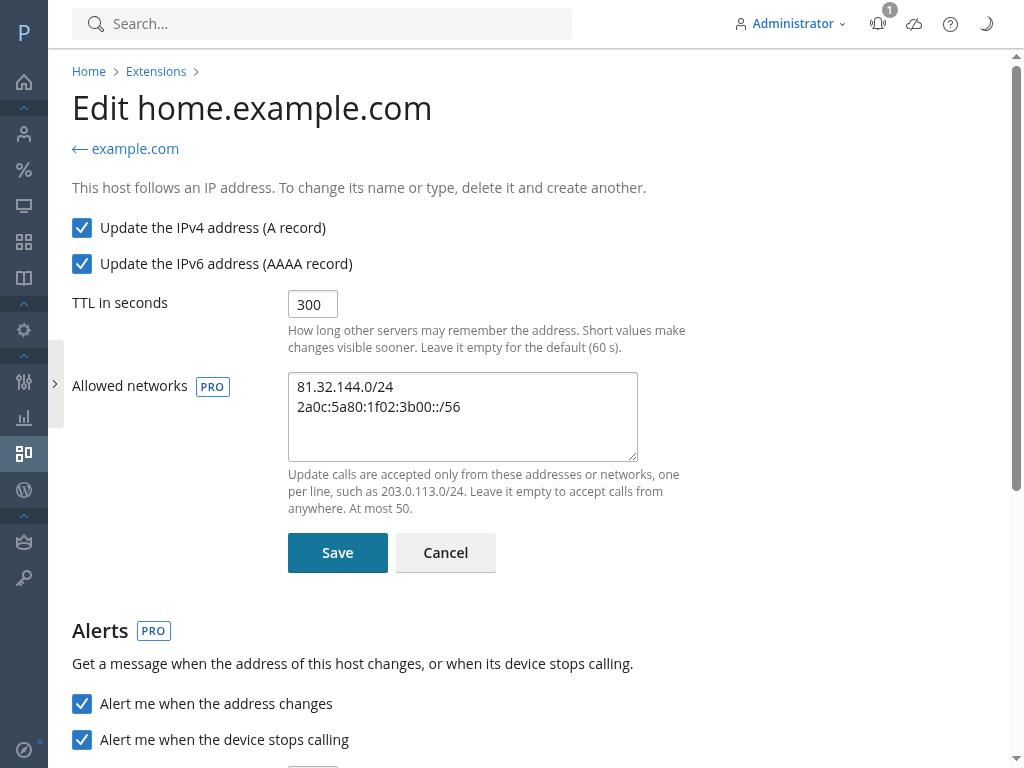
- Allowed networks per host: a key only works from the addresses or ranges you choose.
- Alerts by e-mail and webhook when an IP address changes, when a host stops calling and when it calls again.
Prices include Spanish VAT (21 %). Businesses in other EU countries with a valid VAT number pay no VAT (reverse charge); consumers in other EU countries pay their own country's VAT. The basket shows the final price before you pay.
The checkout is in Spanish for now. Write to support@dabbleam.com if you need a hand.
Questions
Do I need a licence to try it?
No. Download the free edition and install it from Extensions > My Extensions > Upload Extension. It works with up to 3 hosts for as long as you like. When you buy a licence, you install the paid copy over it and keep your hosts, log and settings.
What happens if my licence ends?
Nothing stops and nothing is deleted. Your existing hosts keep updating, but you can't create more than 3, and the Pro alerts stop. If the licence is still not valid after 14 days, the extension switches itself to the free edition, keeping all your data. The licence agreement explains it in full.
Does my server phone home?
Only to check for updates and, with a paid licence, to check the list of revoked licences and renew it. The free edition sends nothing, unless you agree to let us count your installation (it asks once, and you can change it in Settings). The licence file is checked offline on your server. No telemetry and no host data.
Can I move a licence to another server?
Yes, as often as you need, at no cost. Open a ticket with the new server's Plesk licence number.
Is there support?
Yes, by e-mail, for every edition, the free one included, in English, Spanish, German, French or Italian. See the support page.
Who makes it?
Dabbleam, a small web and hosting company in Cádiz, Spain. We built it for our own servers first, because we needed it too.